

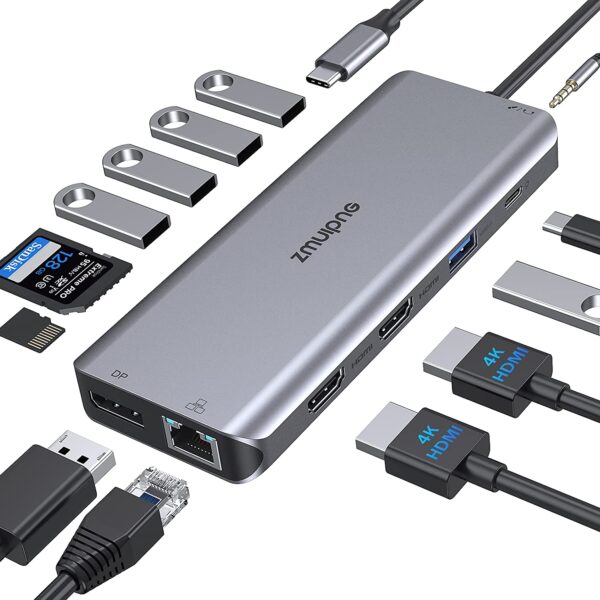

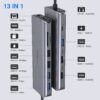

USB C Docking Station Dual Monitor for HP Dell Lenovo Mac Surface Laptops – 2 HDMI & DP Ports Support Works Simultaneously
This ZMUIPNG USB C Hub macbook pro docking station provides a stable connection and increases the productivity of your device by expanding the female USB C port to multiple possibilities of connectivity. Keep your laptop charging while still providing power to each external device attached. Extensive compatibility meets every need of almost all USB C devices.
Please Check Which Functions Supports By Your Laptop’s Built-in USB C Port Before Purchasing!!!
- If you are not sure, please let us know, we are happy to help you check if this docking staion is compatible for your device.
- Please notices: Only applicable to laptops with built-in usb c port, this usbc hub can’t be used with usb to usb c converter.

Compatibility List (Not full List)
Hp Laptops: HP Spectre Laptop 13-af001TU/ Spectre x360 13t/ Spectre folio (13t-ak000cto)/ Spectre 360 laptop/ Specter x369; Elitebook 840 G5 series/ Elitebook X2/ Elitebook x360 1030 G3/ Elitebook 745 G6/ Elitebook 830 G6/ 2018 HP Elite 800 G4; Envy Geforce mx250/ Envy x360 Laptop (15z-ds100); Z book 15u G3/ Zbook 17 G4; Note: Do not support the Pavilion series
Dell Laptops: Dell XPS 9380/ XPS 13 9365/ XPS 15 2018/ XPS 13 9300/ New XPS 15 with i7 dedicated video card 64GB of ram and 2TB SSD; Latitute 7280/ Latitude 5310 2-in-1; Precision 7730/ Precision 7750; Laptop 5590
Lenovo Laptops: Lenovo Yoga 720-13IKB/ Yoga 730/ Yoga 900-13ISK/ Yoga 910/ Yoga 920/ Yoga 930/ Yoga 940-14IIL; 3rd generation Thinkpad Yoga; Yoga15 Thinkpad Ultrabook Pro; Thinkpad E590/ Thinkpad P72/ Thinkpad T470/ Thinkpad X1 Carbon (2019 model); Flex 14 IML (81XG)/ Flex 5; Legion Y530; Lenovo C930/ T480s/ X390/ 81N8
2019 Extended HDMI Monitor
Surface Laptops: Microsoft Surface Book 2/ Surface Go/ Surface Laptop 3; Surface Pro 7
Huawei Laptops: Huawei Macbook Mate10/ Mate10 pro/ Mate20/ Mate20 pro / Mate30/ Mate30Pro
OTHER Laptops: Google Slate (2019); Chromebook C340-15; SanDisk Cruise Glide; Razer Blade 2017 (gtx 1060); Pixel book go 2019/2020
Apple Laptops?Not support Extend Mode?: MacBook/ MacBook Pro (2020/2019/2018/2017/2016); Macbook Air 2018-2020, Mac mini 2018-2020; iPad Pro 2018; iMac 27
Notices:
- All macbooks only supports Mirror Mode: AA,AAA,AAAA and Extend Mode : AB,ABB,ABBB. Not support A-B+C or A-B+C+D(which only support for win laptops)
- For Windows laptop on DP1.2, due to laptop’s limited bandwidth, one of the monitors resolution will be lower than 1080P when connect external 2/3 monitors, and the final resolution depends on different laptop configurations.
- Please check whether the built-in usb c port of your laptop support video output, if not, then the HDMI,DP, 3.5mm Jack of the hub doesn’t work for your laptop.
|
|
|
|
|---|---|---|
Docking station for Mac laptops – Doesn’t Support Extend Mode(MST)Two Modes for Mac Os
Max resolution when use Dual HDMI
Max resolution when use Dual HDMI&VGA
|
Docking Station for Win LaptopsTriple Modes for Windows
Max resolution when Dual HDMI Display
Max resolution when HDMI & DP Display
|
Triple Display for Win LaptopsTriple Modes for Windows
Max resolution when HDMI & DP Display
Notices: For Windows laptop on DP1.2, due to laptop’s limited bandwidth, one of the monitors resolution will be lower than 1080P |


|
|
|
|
|---|---|---|
Charing for your MacBookMax Power Input Up to 100W Allows you to charging your type c devices at power up to 100W, no need to worry about power storage while connecting multiple peripherals. Notice: USB C PD Charging doesn’t works for laptop own a AC adapter, like Dell,HP,Thinkpad… USB C Port – 5Gbps Allows your to connect usb c hard disks device to your laptop with high speed 5Gbps. |
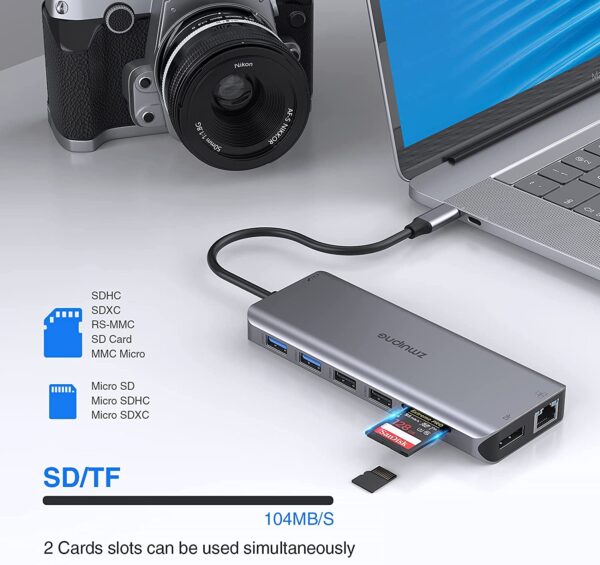
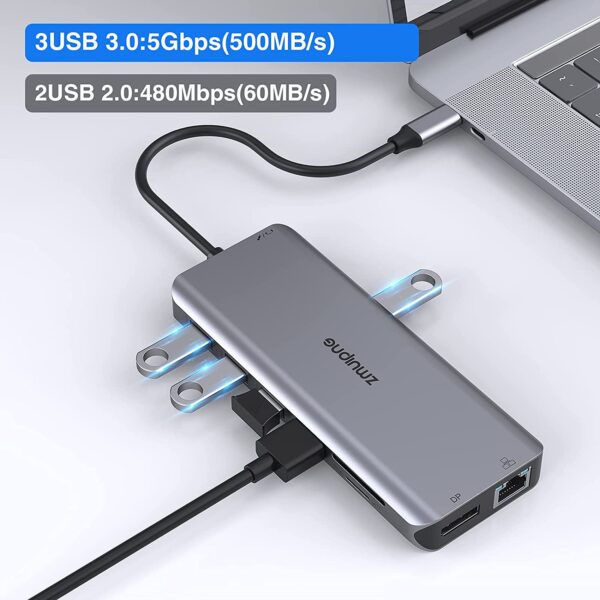
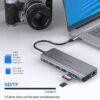
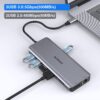
USB Cto SD Card Reader3 USB 3.0 Ports & 2 USB 2.0 Ports This MacBook pro usb adapter comes with 3 usb 3.0 and 2 usb 2.0 ports,which allows your to connect usb keyboard, mouse, usb driver, usb hard disks to your laptop with high speed. SD & Micro SD Slots – 104Mb/s Transfer hundreds photos in seconds – Max transfer data speed up t 104Mb/s . |
USB C to Gigabit Ethernet & 3.5mm JackMax support Gigabit Lan Enjoy the ultra-fast gigabit ethernet speeds and the reliability of a wired connection directly to make your work more effective.Worryfree about wifi’s instability and interference from USB 3.0 3.5 mm Audio and Microphone This usb c dock have a 3.5mm jack for you to put in your wired headset or microphone, so that you can enjoy music without disturbing others. |


Reviews
There are no reviews yet.